Project
Online tutoring bookings
Students choose an available time themselves, while my calendar, email confirmations and price list stay in sync without any manual copying.
Client / Industry
My online tutoring in computer science, computing and electrical engineering also shows how a small business can digitise appointment-based work.
Platform
A booking page with an availability calendar, a view of requests in the website admin and a connected iCloud calendar.
Role
End-to-end development and maintenance, from the initial idea and design through to production.
Problem
Appointment-based work can easily turn into a stream of messages: when are you free, does Tuesday work, how much is a package, is that time still available? Every agreement then needs to be added to a calendar, a video call link sent and cancellations remembered. This work adds no value, takes time and creates room for mistakes, such as booking two people for the same hour.
Solution
Students can see what’s available and send a request; I just make the decision. Everything else happens automatically.
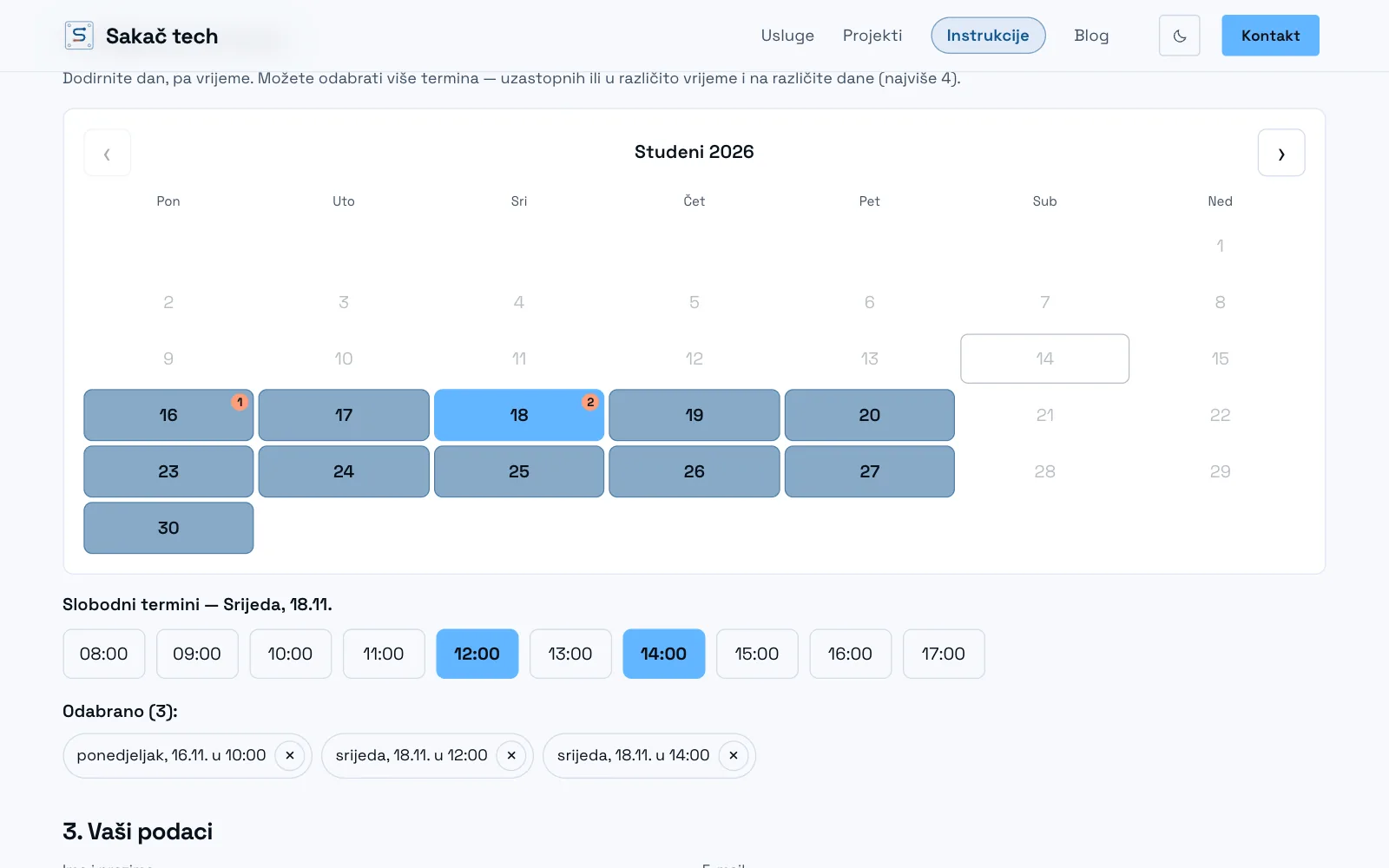
- Three-step booking: choose a subject, age group and package, then pick available times from a monthly calendar. Students can select as many times at once as their package allows.
- Availability is calculated from working hours, breaks between sessions and 12 hours’ notice, as well as the live calendar. Private commitments and sessions arranged outside the website are never offered.
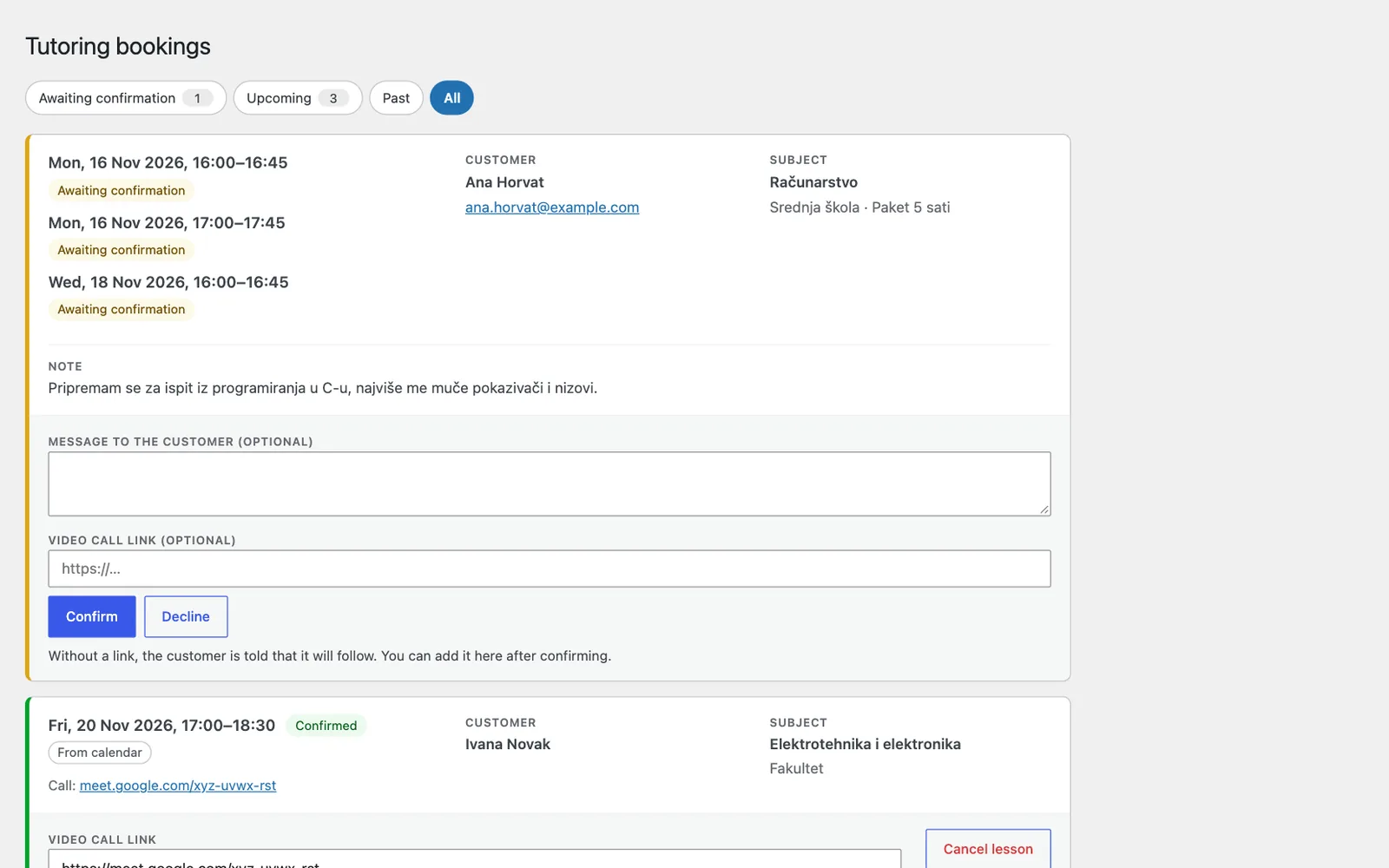
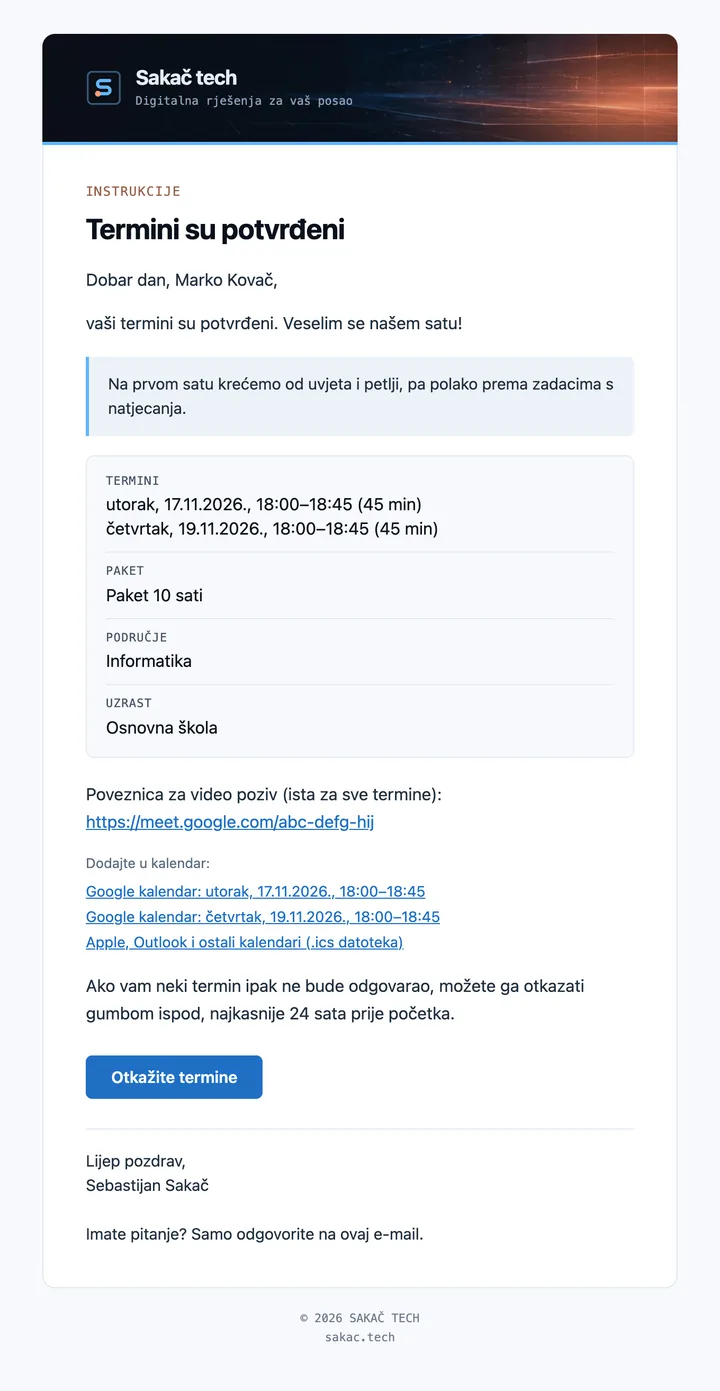
- Manual confirmation: a request holds the time for 24 hours. I confirm it with one click, optionally adding a message and video call link. The student immediately receives an email with the session times and calendar links.
- Two-way calendar sync: confirmed sessions are added to iCloud automatically; deleting a session from the calendar cancels it and notifies the student; sessions I add manually appear in the booking overview.
- Cancel without emailing back and forth: students can cancel using the button in their email up to 24 hours before the session, and the time becomes available again straight away.
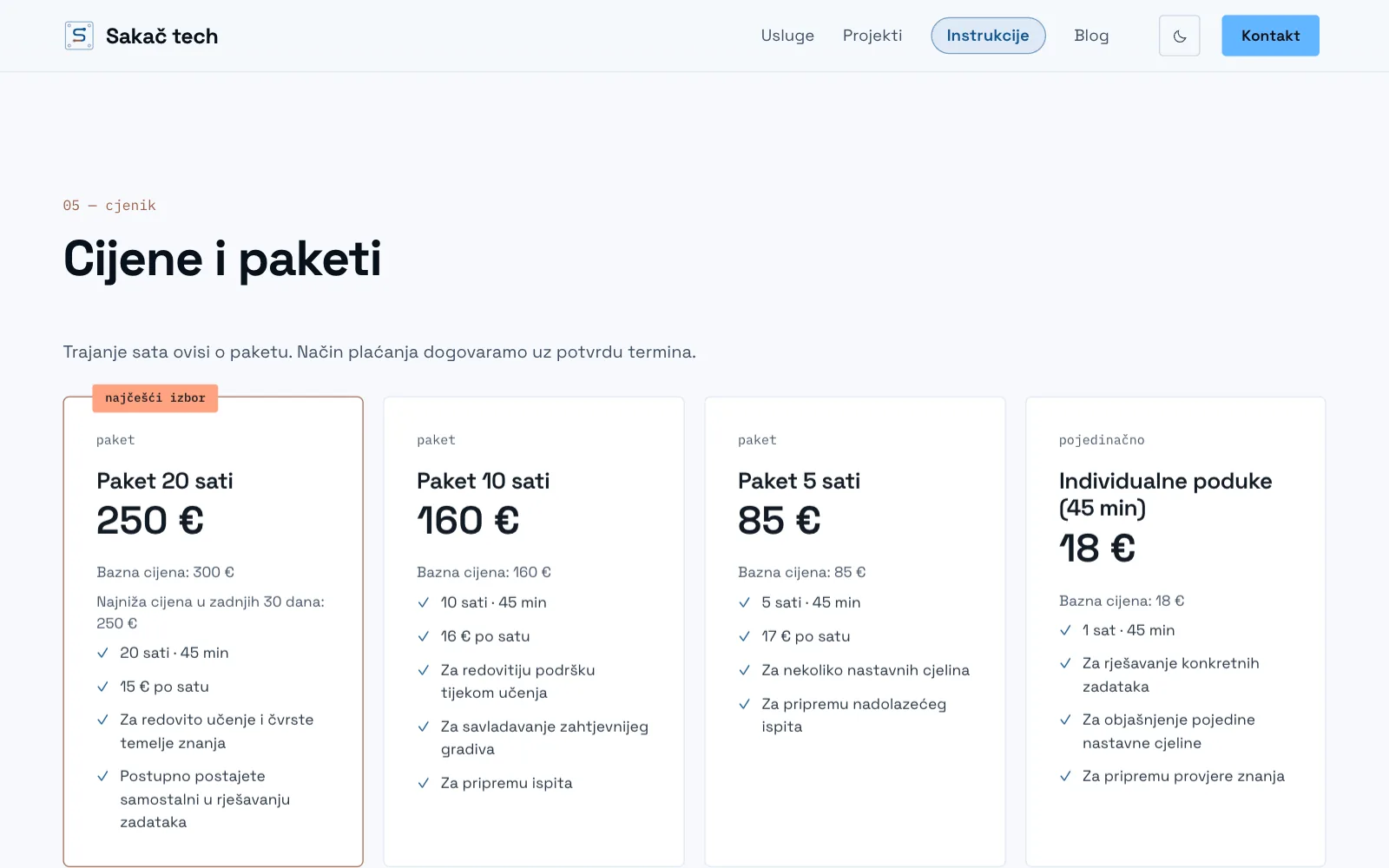
- Packages and prices are managed in one place, and a price list with base rates and a machine-readable file is published automatically.
- Nothing disappears: each request keeps its status (confirmed, cancelled or expired), and personal data is deleted 24 months after the last session.
Online booking isn’t the only option. You can contact me directly at any time to arrange a session, including outside the times shown in the calendar. I add it to the calendar, and it appears in the overview like any other session.
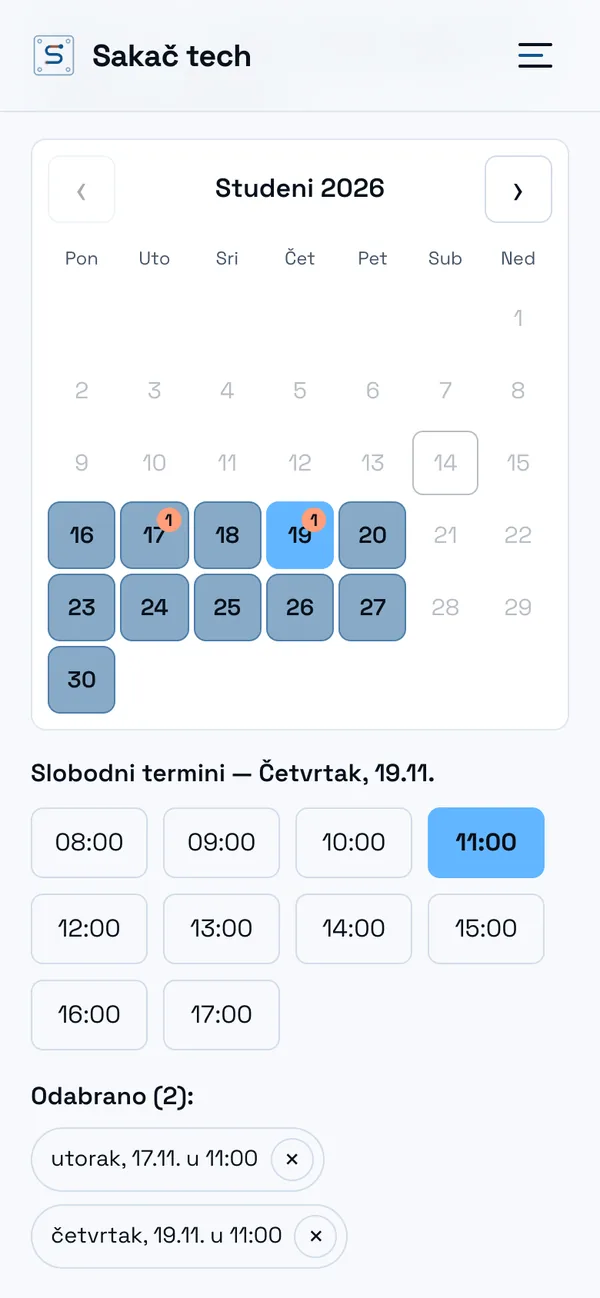
The same booking flow for any appointment-based business
These are my tutoring sessions, but the same system works for any business that runs by appointment: a hair salon, repair shop, consultancy or personal training. Your existing calendar stays the source of truth, with the website, emails and prices kept in sync.
Results
0
sessions that would otherwise need to be copied manually between the website and calendar.
1 click
to confirm a request, and the student immediately receives an email with the session times and call link.
24 h
before the session, students can cancel themselves using the button in their email, without messaging back and forth, and the time becomes available again straight away.